
Feature
Service Request & Task Assignments with Real-Time Workload Dashboards
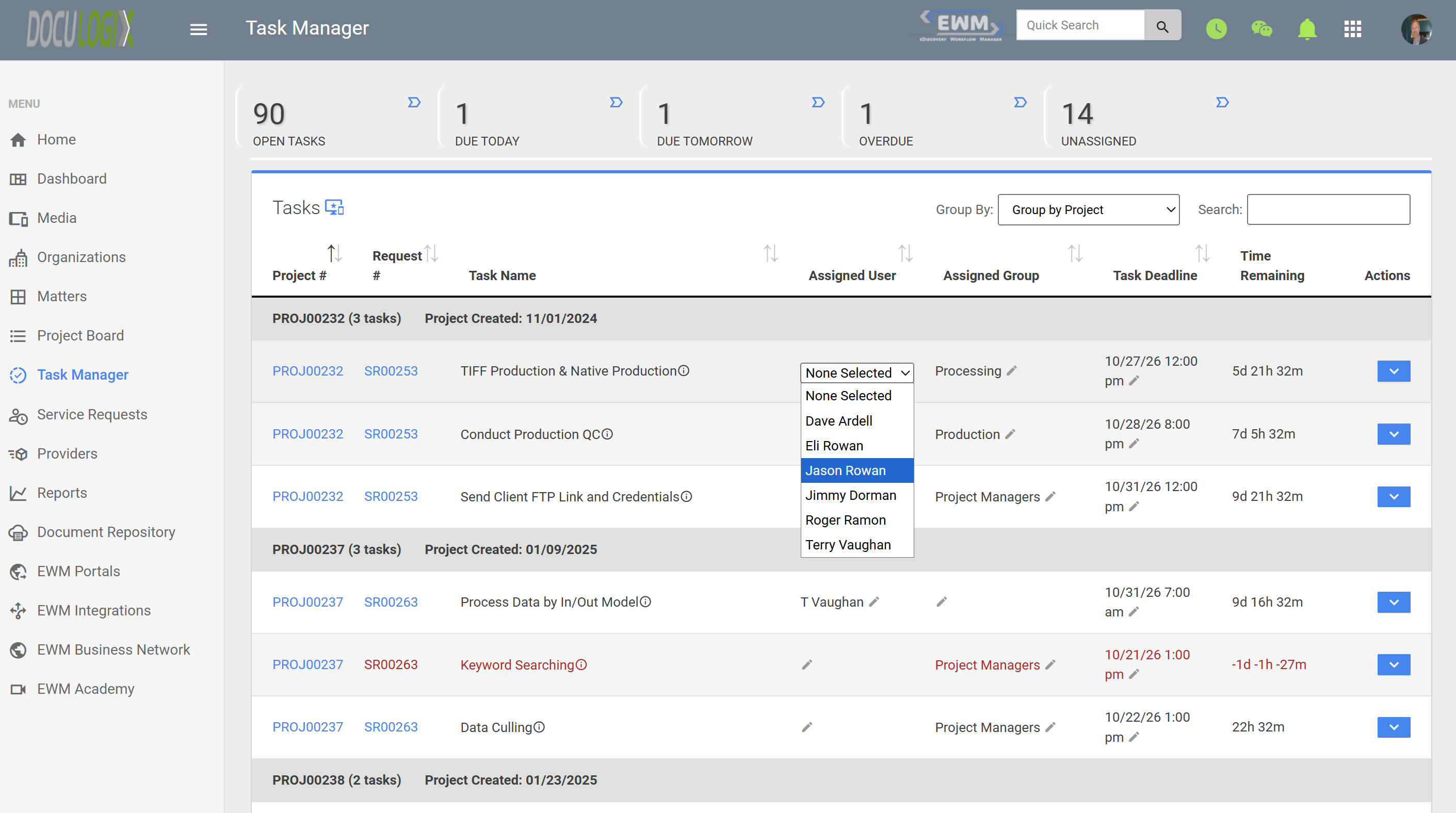
Doculogix automatically creates tasks when a service request is submitted, based on its service request type, and can auto-assign them to an individual, department, or group. Managers can also assign service requests and tasks directly with clear ownership and due dates, and Doculogix shows those assignments instantly on real-time workload dashboards. Litigation support teams, eDiscovery providers, and law firms can see what is due, who owns it, and how loaded each person is, then rebalance work in a click.
How it works
How It Works
Tasks are created and auto-assigned
Assignments appear instantly
See what's due and who owns it
Reassign work in a click
Screenshots
Use cases
Common Use Cases
- Distributing incoming service requests across the team as they arrive
- Spotting overdue or at-risk tasks before a production deadline
- Rebalancing work when a team member is overloaded, sick, or on vacation
- Giving each team member a clear list of what they own and when it is due
- Showing leadership real-time capacity across matters and clients
FAQ
Frequently Asked Questions
- How are service requests and tasks assigned in Doculogix?
- When a service request is submitted, tasks are automatically created based on its service request type and can be auto-assigned to an individual, department, or group. Managers can also assign or adjust assignments directly, and every assignment is recorded on the request or task so ownership is always clear.
- What do the real-time workload dashboards show?
- They show what is due, who owns each service request and task, and each team member's current workload, so managers can see capacity at a glance.
- How quickly do assignments appear on the dashboards?
- Immediately. As soon as work is assigned or reassigned, the dashboards reflect the change in real time.
- Can I reassign work if someone is overloaded?
- Yes. Managers can reassign a service request or task to another team member in a click, and the workload dashboards update right away.
Explore more
Related Features and Products
Ready to Streamline Your eDiscovery Workflow?
Start your 60-day free trial today. No credit card required. See why 100+ law firms and litigation support providers trust Doculogix for their litigation workflow management.
Or call us directly at (888) 436-2856