
Feature
Customizable Service Request Forms and Intake
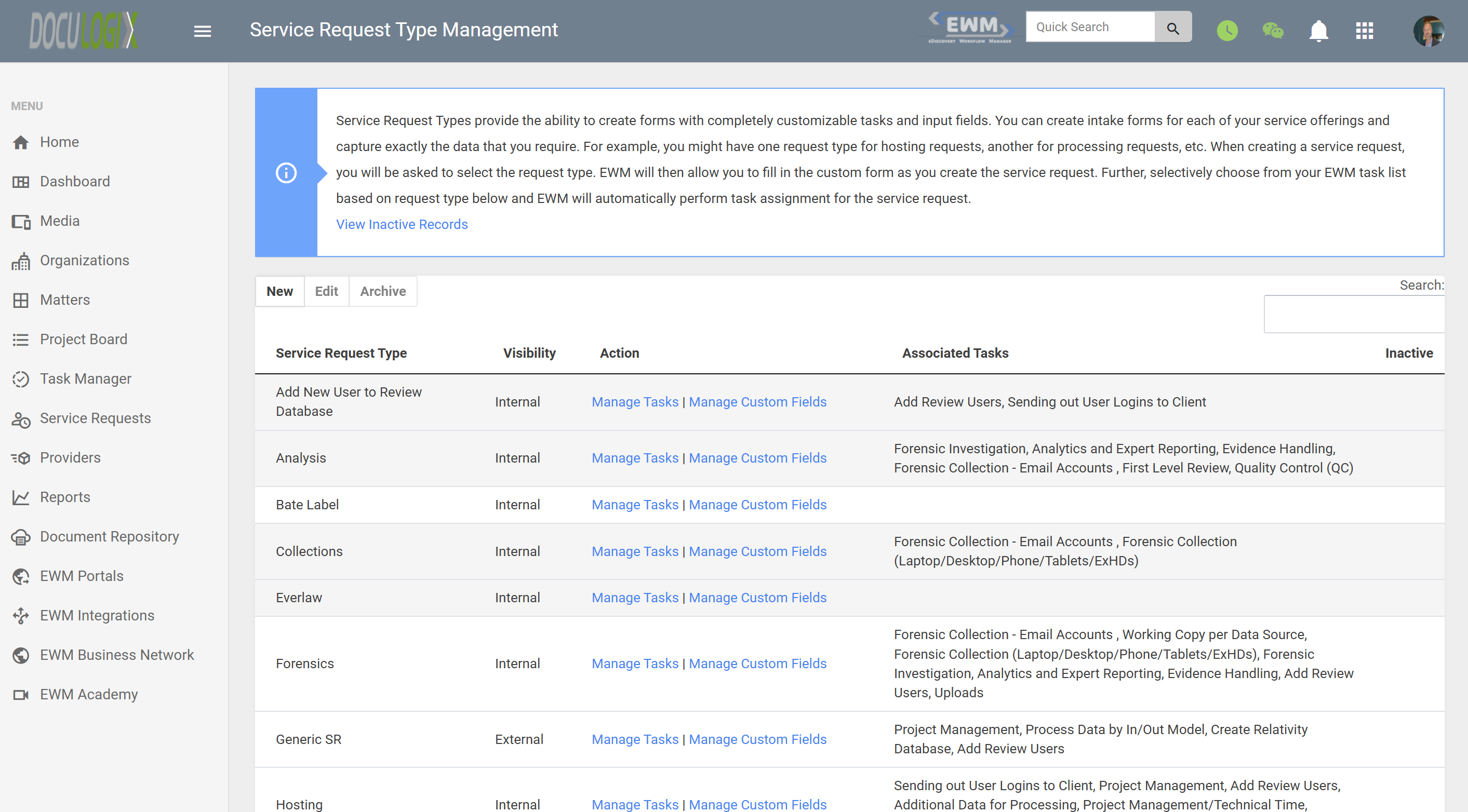
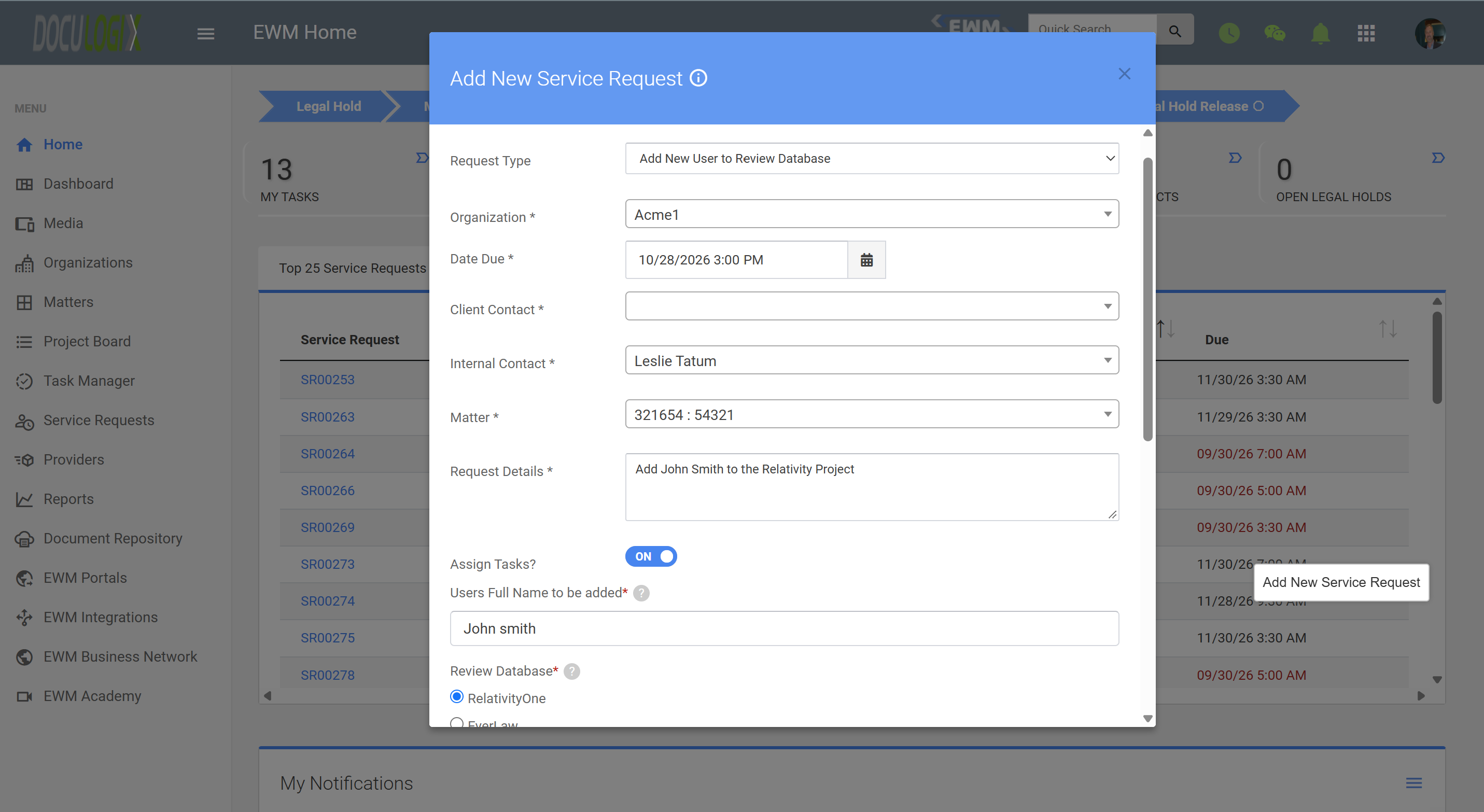
Customizable service request forms give case teams a structured way to ask for litigation support work, so every request arrives with the information your team needs to start. On submission, Doculogix automatically creates the tasks defined for that service request type and can auto-assign them to an individual, department, or group. They are built for litigation support teams, eDiscovery providers, and law firms that want to replace ad hoc emails and phone calls with consistent, trackable intake.
How it works
How It Works
Build forms for each request type
Customize the fields you collect
Requesters submit against a matter
Tasks are created and assigned automatically
Screenshots
Use cases
Common Use Cases
- Standardizing how attorneys and paralegals request eDiscovery processing or productions
- Collecting custodian, date range, and data source details before a collection starts
- Capturing copy and scan specifications so jobs are quoted and completed correctly
- Reducing back-and-forth emails caused by incomplete requests
- Automatically generating and routing the standard tasks for each request type the moment it is submitted
- Creating an audit trail of who requested what, and when, on every matter
FAQ
Frequently Asked Questions
- What is a service request form in Doculogix?
- It is a configurable intake form used to request litigation support or eDiscovery work. Each submission becomes a service request tied to a client and matter.
- Can I customize what each form asks for?
- Yes. You choose the fields that appear on each form, including your own custom fields, so each request type captures the details your team needs.
- Who submits service requests?
- Typically attorneys, paralegals, and case team members who need litigation support work done. Your team then assigns and completes the work.
- What happens after a request is submitted?
- The request is created in Doculogix under the correct matter, and tasks are automatically created based on its service request type. Those tasks can be auto-assigned to an individual, department, or group, then tracked through completion and billed.
- Are tasks created and assigned automatically?
- Yes. Each service request type has its own set of associated tasks. When a request of that type is submitted, the tasks are created automatically and can be auto-assigned to an individual, a department, or a group.
Explore more
Related Features and Products
Ready to Streamline Your eDiscovery Workflow?
Start your 60-day free trial today. No credit card required. See why 100+ law firms and litigation support providers trust Doculogix for their litigation workflow management.
Or call us directly at (888) 436-2856