
Back to Home
Feature
Custom Fields and Configurable Task Tracking
Custom fields let you capture the data your operation actually depends on at every level of the hierarchy, from clients and matters down to individual tasks. Litigation support teams, eDiscovery providers, and law firms can configure task tracking to fit their own processes without custom development.
How it works
How It Works
Add fields at any level
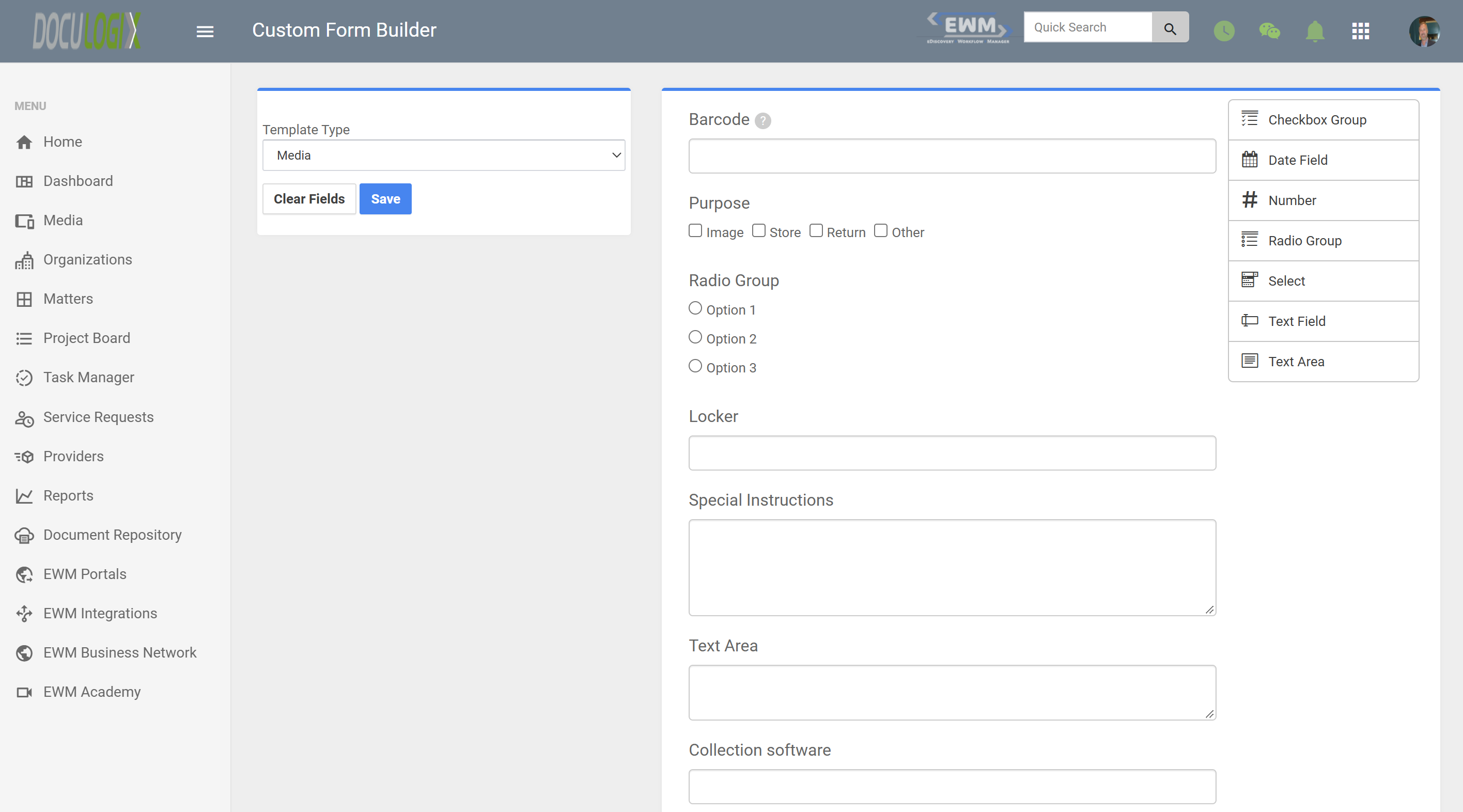
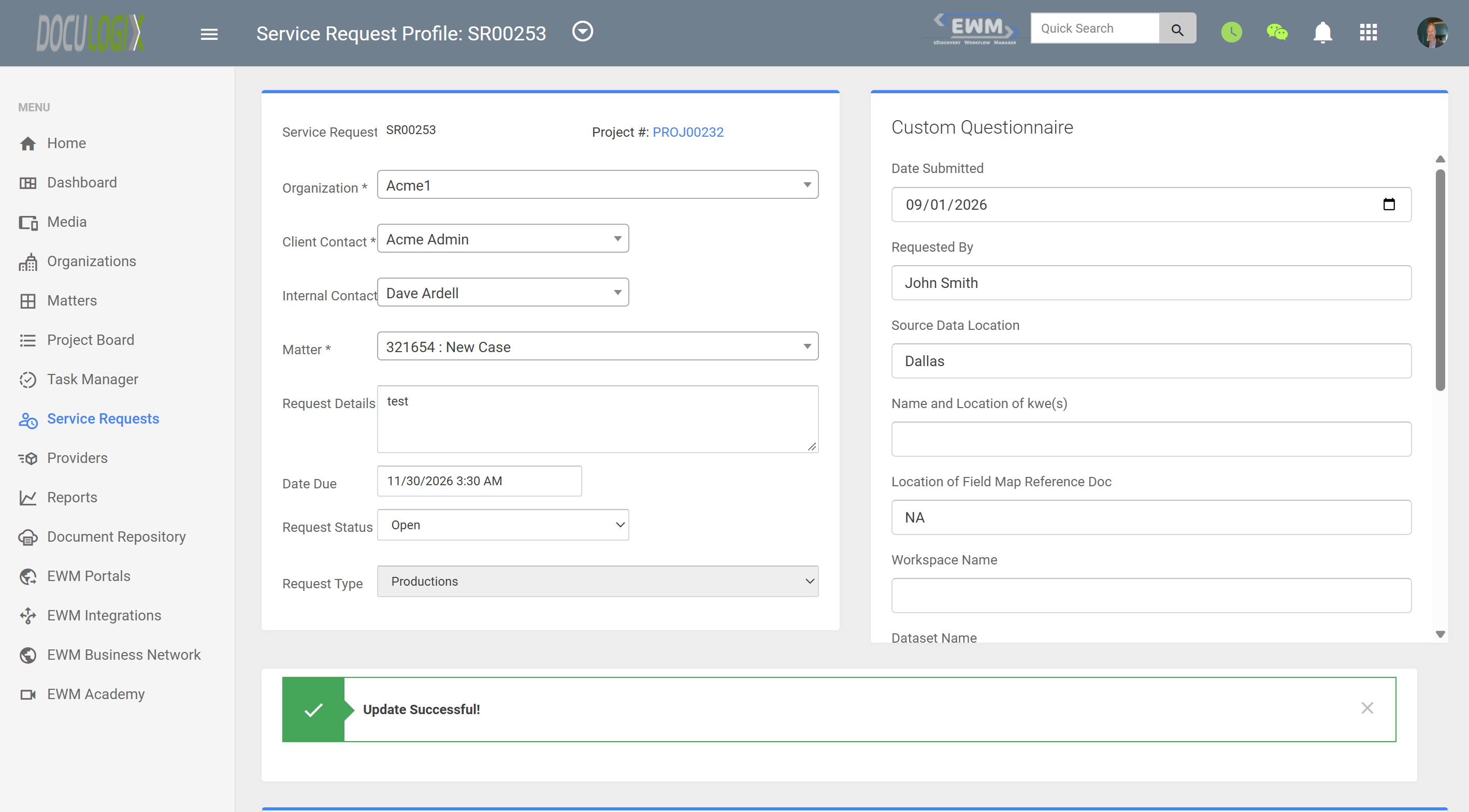
Administrators can add custom fields to clients, matters, projects, service requests, and tasks, so each level captures the details that matter to it.
Choose the right field type
Pick a field type that fits the data, such as text, numbers, dates, or a list of predefined choices, so entries stay consistent across your team.
Configure task tracking
Define the task types, statuses, and details your team tracks, so task records reflect your real workflow instead of a generic template.
Use fields in reporting
Custom field values are stored with each record, so you can filter, sort, and report on them alongside standard fields.
Screenshots
Use cases
Common Use Cases
- Recording case numbers, court, or jurisdiction on each matter
- Capturing data volumes, custodians, or media types on eDiscovery service requests
- Tracking page counts, copy sets, or binding details on copy and scan tasks
- Storing client billing codes so invoices match each client's requirements
- Reporting on organization-specific metrics without exporting to spreadsheets
FAQ
Frequently Asked Questions
- Where can I add custom fields in Doculogix?
- Custom fields can be added to clients, matters, projects, service requests, and tasks, so you can capture the right details at each level of the hierarchy.
- Who sets up custom fields?
- Custom fields are configured by administrators in your Doculogix account. Once added, they appear on the relevant records for your team to fill in.
- Do I need a developer to configure task tracking?
- No. Custom fields and task tracking are configured in the application, so your team can adapt Doculogix to your processes without custom code.
- Can I report on custom field values?
- Yes. Custom field values are stored with each record, so they can be used to filter and report on your work alongside standard fields.
Explore more
Related Features and Products
Matter-Centric Litigation Support Project ManagementOrganize every request and task by client and matter.Customizable Service Request Forms and IntakeBuild intake forms that capture what case teams need.Service Request & Task Assignments with Real-Time Workload DashboardsAssign work and see every team member's load in real time.
Ready to Streamline Your eDiscovery Workflow?
Start your 60-day free trial today. No credit card required. See why 100+ law firms and litigation support providers trust Doculogix for their litigation workflow management.
Or call us directly at (888) 436-2856